How to level tender returns
To level tender returns, put every supplier's prices against the same pricing schedule, check their sums, then adjust each return to a common basis: add omitted items, take out what wasn't asked for, and price their qualifications. The levelled totals, not the tender sums, are what get compared.
What levelling is
Levelling (sometimes called tender equalisation) turns returns priced on different bases into figures that compare like for like. The lowest tender sum is often not the lowest levelled price: one supplier leaves items out, another excludes builder's work, a third prices a cheaper product.
1. Line up every return against the pricing schedule
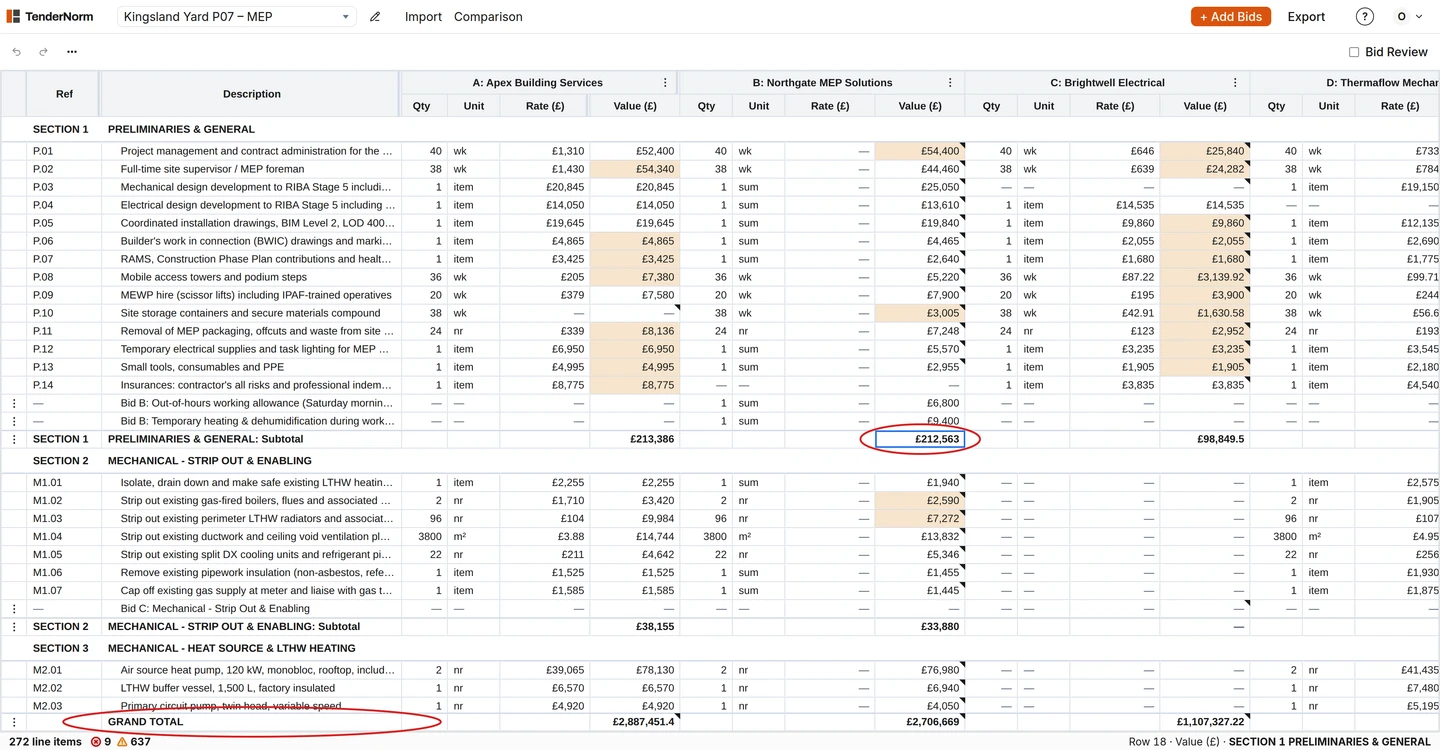
Every return needs to sit on the pricing schedule's items, in its order. Suppliers renumber, reword, split and merge items, and many return their own breakdown instead of the schedule issued.
- Start from the pricing schedule as issued, at the revision priced.
- Put each supplier's quantity, unit, rate and value on the item it prices.
- Keep anything that doesn't fit — extras, options, alternatives — on its own rows, not merged into the pricing schedule's items.
- Note where each figure came from, so the working can be shown later.
2. Check the supplier's sums
- Check quantity × rate on every line.
- Add up each section and compare it with the supplier's collection.
- Add up the collections and compare them with the tender sum on the form of tender.
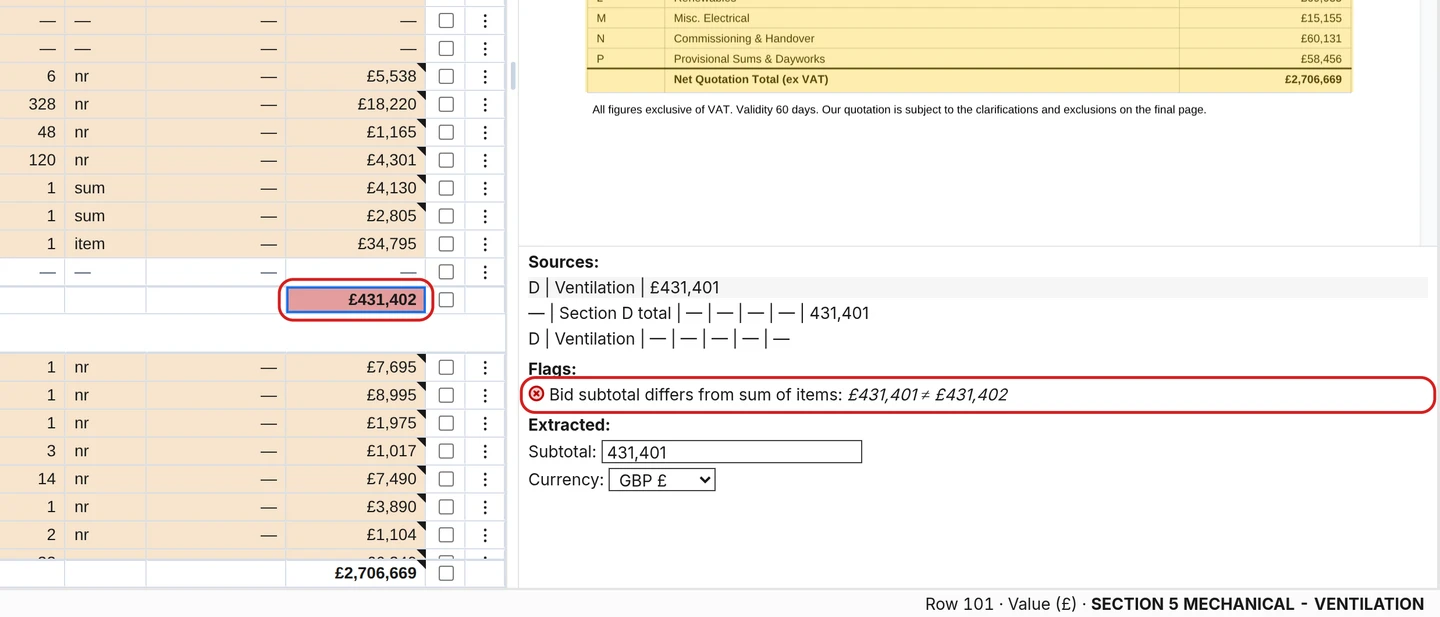
- Where they differ, find out which figure the supplier stands by before going further.
- A gap in a collection is often one item: misplaced, left out or mis-added. The size of the gap usually points to it.
3. Check the scope, item by item
- Omitted items
- Items with no price. Price them at the other suppliers' average or an in-house estimate, and add them.
- Changed quantities or units
- The supplier measured their own. Re-rate at the pricing schedule's quantity so every return covers the same work.
- Items not asked for
- Extras, options and dayworks. Take them out of the comparison and keep a note of them.
- Qualifications
- Exclusions, assumptions, supply only, alternative products, programme or payment conditions. Price each one, or flag it for a tender query.
4. Compare the levelled totals
Add the adjustments to each tender sum to get the levelled total, and rank on that. Keep the adjustments visible: the tender report should show the tender sum, each adjustment and the levelled figure, so anyone can follow how it was reached.
Doing it faster
Steps 1 and 2 are most of the time on a tender, and they're the part software does well. TenderNorm reads each return in the supplier's own format, places every price on the pricing schedule, checks the sums, flags omitted items and changed quantities and units, and keeps each supplier's qualifications as a note on the price they relate to, with each price linked to its line in the supplier's document. That leaves the time for steps 3 and 4.
Questions
- What is the difference between levelling and a tender analysis report?
- Levelling adjusts the returns to a common basis. The tender analysis report presents the result: tender sums, adjustments, levelled totals, queries and a recommendation.
- Should only the lowest tender be levelled?
- No. Level every compliant return. The ranking often changes once omissions and qualifications are priced.
- How is an omitted item priced?
- Use the average of the other suppliers' prices for it, or an in-house estimate where only one supplier priced it, and say which in the report.