Upload the pricing schedule
Excel or PDF. Its sections and items become the rows of the comparison.
TenderNorm lines up every price against the pricing schedule, checks the sums and flags what’s changed.
200 pages free. No card needed. Sample project included.
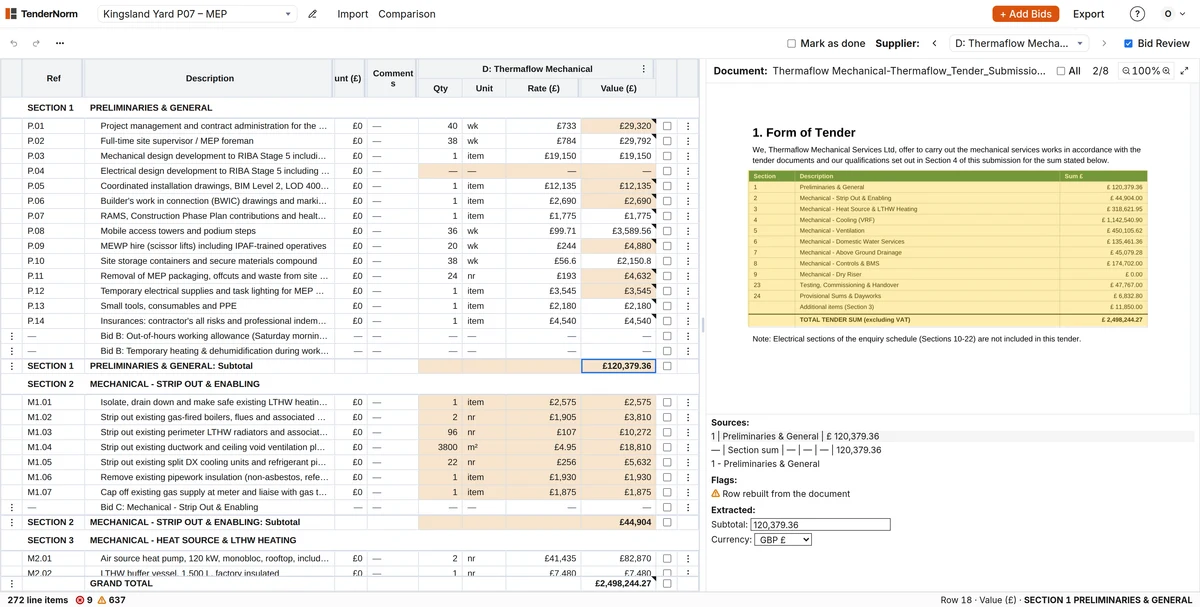
Excel or PDF. Its sections and items become the rows of the comparison.
Each in the supplier's own format. TenderNorm lines up every price and qualification and checks the sums.
Flags mark scope differences and uncertain matches. Every price opens the line it came from.
Want the full workflow? Read the getting started guide →
From pricing schedule to Bid Review. Only the waits are cut.
The comparison exports with subtotals, flags and supplier notes, ready for the tender report.
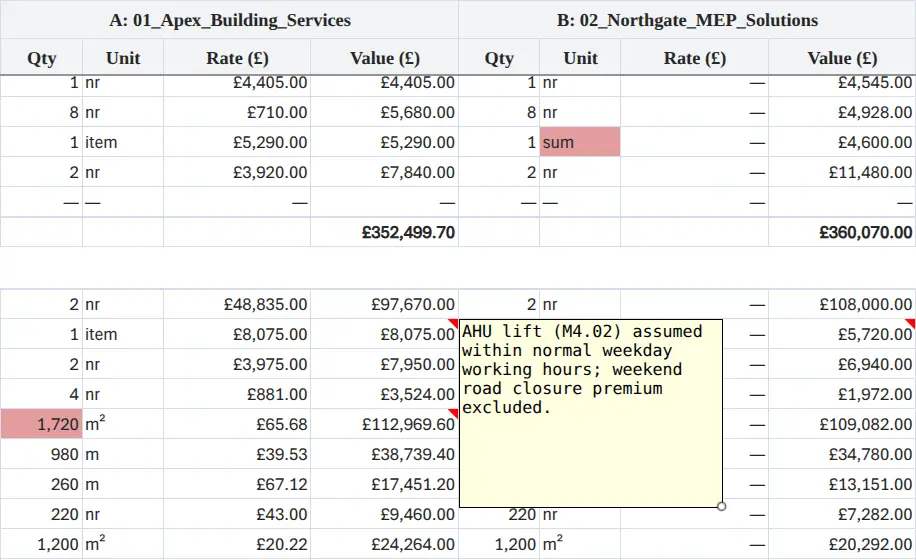
Excel works well once the prices are lined up. Getting them there means retyping every return into the pricing schedule. TenderNorm does that in minutes, and the report is finished in Excel.
Their table can be checked, but only by hunting through the PDFs. In TenderNorm every price opens its line in the supplier's quote, flags point to what needs review, and it's all saved in one project.
It still lines up. TenderNorm matches by reference and description, so new numbering, reordered rows and reworded items are fine. Anything it can't place goes in Unmatched, so nothing is lost.
Any itemised list the suppliers priced: a BoQ, pricing schedule, schedule of rates, material list, equipment schedule or itemised quote request. Returns must be itemised too, with rates or lump sums per item, each in the supplier's own format. PDF, Excel, Word, CSV and text all work, including scanned PDFs.
No, not by TenderNorm or by the AI providers it uses. Documents are stored in the EU (Germany), only used to build the comparison, and can be deleted at any time.
Start with a real pricing schedule and returns, or open the sample project first.
200 pages free. No card needed. Sample project included.