How to get prices out of PDF quotes into Excel
For a short, text-based PDF, Excel's Get Data from PDF or a careful copy and paste works. For scanned or long quotes, OCR is needed, then every figure checked against the original. Whichever is used, check quantity × rate and the totals afterwards: a misread digit is easy to miss and changes the comparison.
The options
- Copy and paste
- Fine for a page or two from a text-based PDF. Columns often land in one cell and need splitting.
- Excel: Data → Get Data → From File → From PDF
- Imports tables from text-based PDFs in Excel for Microsoft 365. Works well on clean tables, less well on quotes with wrapped descriptions or tables split over pages.
- PDF converters
- Convert the whole PDF to Excel. Quick, but layouts break and the result still needs tidying and checking.
- OCR
- Needed for scanned or photographed quotes. Accuracy varies, so every figure needs checking.
- ChatGPT, Claude and other AI tools
- Can turn a quote into a table, but may misread or drop lines, and checking means going back to the PDF line by line.
Checking the result
- Count the lines: the spreadsheet should have every priced line in the quote.
- Check quantity × rate on every line.
- Add up each section and compare it with the quote's subtotals, then the grand total.
- Spot-check descriptions and units against the PDF, especially where text wrapped over lines.
Then onto the pricing schedule
Getting the prices out is half the job. To compare suppliers, each price still has to be placed on the right item in the pricing schedule, and suppliers rarely keep its numbering or wording.
With TenderNorm
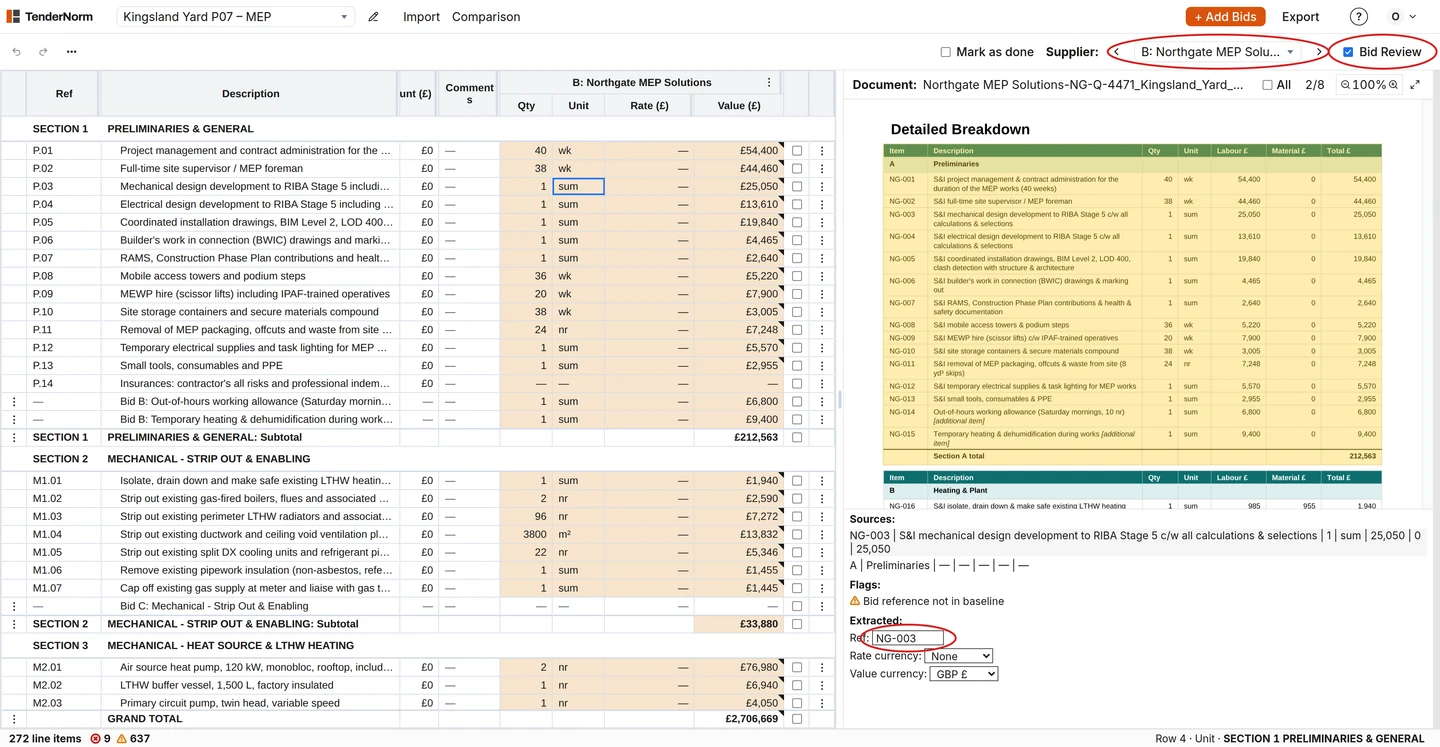
TenderNorm reads PDF quotes, including scanned ones, and Excel returns, places every price on the pricing schedule and checks the sums against the quote's own subtotals and total. Figures it couldn't read reliably are flagged red, and every price opens its line in the PDF, so checking takes clicks instead of hunting.
Questions
- Why does Excel's PDF import miss some rows?
- It reads the table structure in the PDF. Descriptions that wrap over several lines, tables split over pages and scanned pages often break it.
- Can OCR figures be trusted?
- Not without checking. Check quantity × rate and the totals; a wrong digit usually shows up there.